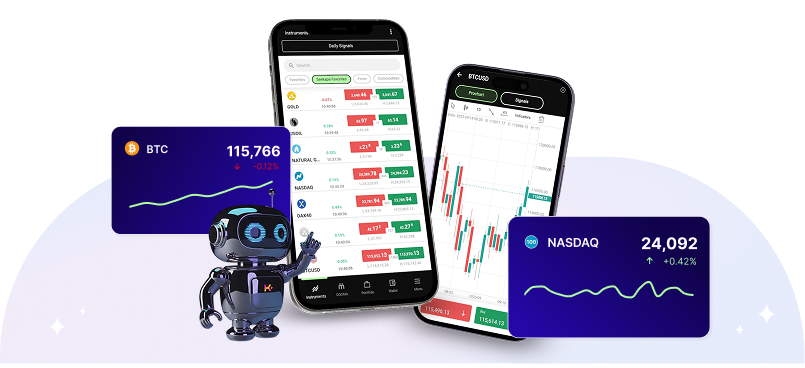
Personalize Your Trading Experience with Favorite Assets on Seekapa
Customize your trading dashboard by selecting your favorite assets on Seekapa. Access tailored information and receive real-time notifications about these assets, ensuring you never miss a trading opportunity. Streamline your trading by keeping the assets you care about most right at your fingertips.
Enhancing Your Trading
with your Favorite Assets
Setting Up Your Favorite Assets on Seekapa
Easily add any asset to your favorites list with just a few clicks:
1) Log in to the app or trading platform
2) Navigate to the “favorite” tab
3) Click on “Add symbol”
4) Choose your preferred assets
The asset will automatically appear in your ‘Favorites’ tab on the main dashboard. You can manage your list at any time, adding or removing assets as your trading focus shifts.

- 400:1 Leverage
- Low Transaction Fees
- Financial Advisory
Frequently Asked Questions
Hey there! Got questions? We’ve got answers. Check out our FAQ page for all the deets. Still not satisfied? Hit us up.
01 How many assets can I add to my favorites?
How many assets can I add to my favorites?
02 Can I receive notifications for all my favorite assets?
Can I receive notifications for all my favorite assets?
03 Is it possible to categorize my favorite assets on the platform?
Is it possible to categorize my favorite assets on the platform?
04 How do I remove an asset from my favorites?
How do I remove an asset from my favorites?
05 Will I receive updates on the macroeconomic factors affecting my favorite assets?
Will I receive updates on the macroeconomic factors affecting my favorite assets?

Platform
Contact Us Page
Get in touch with our dedicated support team for any queries or assistance.